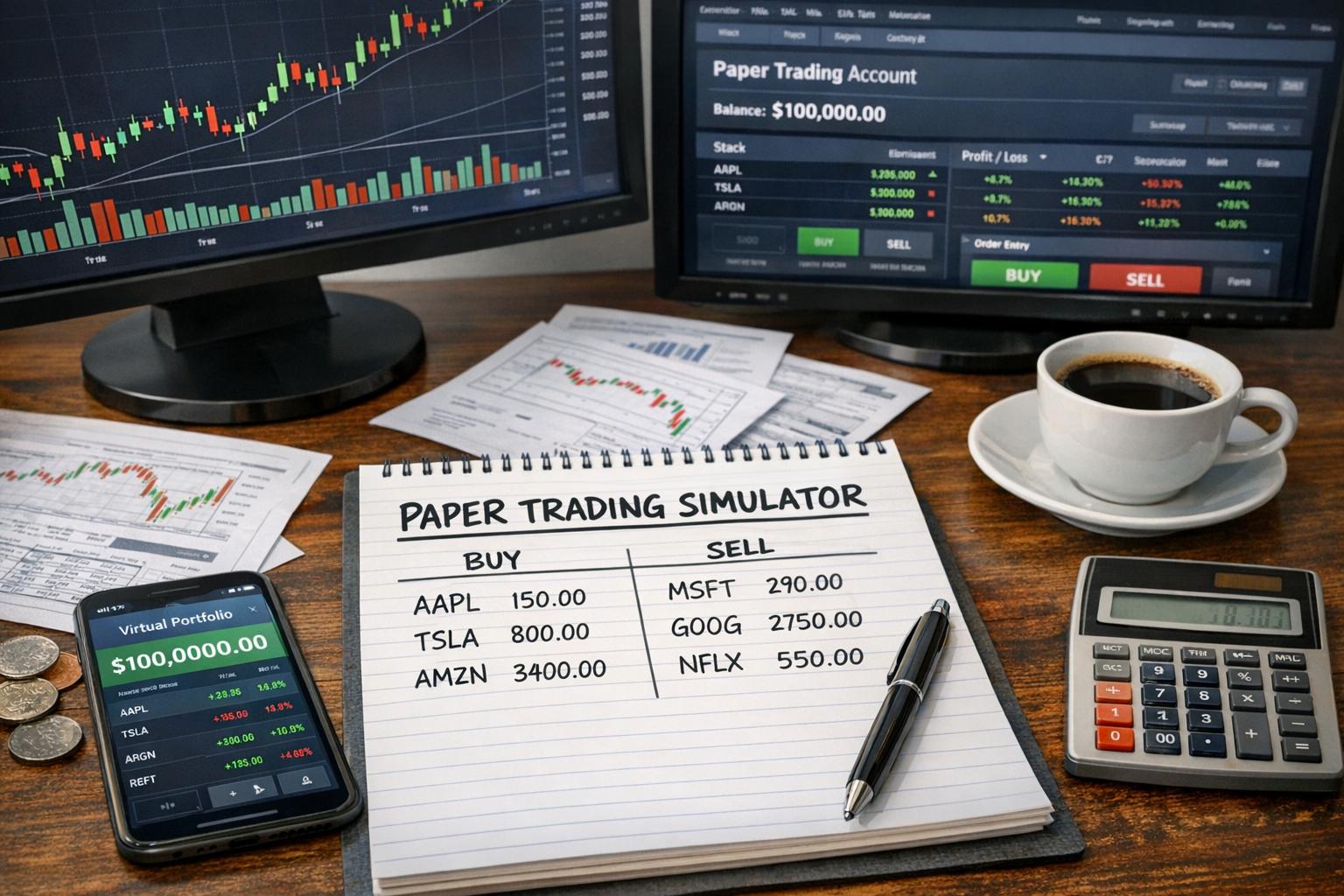
Paper trading simulators are the safest place to test ideas, silent the way a quiet kitchen is: nothing explodes, and you still learn how the stove works. The trouble is that most “simulators” people use are either too basic (a single price feed and a pretend wallet) or too heavy (real platform, complex setup, plenty of features you don’t need). Making your own lets you control accuracy, speed, costs, and the exact rules you want to test. You also get to decide what “realistic” actually means, because in markets it rarely means what beginners assume.
This article explains how to design and build your own paper trading simulator, from the ground-up data model to the boring-but-important edge cases. You’ll see practical choices, common mistakes, and ways to validate that your simulator is not lying to you (accidentally or otherwise).
Why build your own paper trading simulator?
There are three recurring problems with off-the-shelf paper trading tools:
1) Trading rules don’t match your strategy
Some platforms assume you can trade at the last price, some simulate an order fill instantly, and some ignore partial fills. If your strategy depends on limit orders, slippage, queued orders, or margin constraints, a generic simulator will treat everything like it’s a frictionless video game. That gets you wrong conclusions quickly.
2) You can’t easily measure what you didn’t model
If the simulator doesn’t track your order queue, latency, or fill assumptions, you can’t tell whether your results improved because of skill or because the simulation forgave unrealistic behavior.
3) You want speed and iteration
A good workflow for testing strategies is: change a rule, run a backtest or paper simulation, and compare with a baseline. When simulations take forever to run, you start avoiding experiments. Building your own can make iteration hours instead of days, depending on how you structure the system.
Decide what “paper trading” means in your simulator
Before you write code, you have to lock down the behavior. Paper trading can mean several different things:
Real-time replay vs historical simulation
– Historical replay: you step through candles or ticks saved from real markets and simulate time. Great for reproducibility.
– Real-time replay: you consume a live feed and place simulated orders on the fly. Useful if you want timing with minimal delay, but harder to reproduce.
For most people building a simulator, historical replay is the best starting point. You can add real-time later once you’re confident about order behavior.
Order granularity: bars, quotes, or trades
Pick the data level that matches the complexity you want:
– OHLCV bars (candles): simplest. Works for strategies that don’t need intrabar fills.
– Order book / depth: more realistic, harder to get and simulate.
– Tick or trade prints: closer to real fills. Usually a middle ground between candles and full order book.
If you plan to test limit orders and realistic fills, candles alone will trick you. You can still do it, but you’ll need strong fill rules and assumptions.
Fill model: the make-or-break setting
Fill logic should state exactly how an order becomes a trade:
– Market orders: filled at some price derived from the next available data point (or within the same bar).
– Limit orders: filled only when the market reaches your limit price, plus slippage and partial fills (optional).
– Stop orders: become market orders when triggered, then fill based on your model.
Most “wrong but plausible” results come from vague fill rules. If you build one thing carefully, build your fill model.
Core components of a simulator
A paper trading simulator is basically a small trading engine with four large jobs: data ingestion, market state updates, order management, and portfolio accounting. You can keep it lightweight, but you can’t skip any of those jobs forever.
1) Data layer
Your data layer is responsible for providing market updates in the order you want: from oldest to newest, with correct timestamps. You’ll want a plan for:
– data storage format (CSV, Parquet, database)
– data normalization (consistent time zones, correct symbol mapping)
– handling missing intervals
– versioning data sets (so your results can be repeated later)
A simulator that silently changes data in the background is a simulator that can’t be trusted.
2) Market state engine
This part updates what the market “is” at each step: last price, bid/ask, best bid and ask, or candle high/low/close. Even if you use candles, treat them as a sequence of state changes: at each candle step, you define what the market can do during that interval.
3) Order management system (OMS)
The OMS receives orders, validates them, and updates their status while time progresses.
Typical order states:
– new
– accepted
– partially filled
– filled
– canceled
– rejected
You’ll also need to decide how multiple orders behave: priority rules (price-time), netting, queue position, and whether orders can cross each other (e.g., cancel/reprice logic).
4) Portfolio & accounting
This is where your P&L becomes real.
You need:
– cash balance
– position size per asset
– average cost basis (or a method that matches your accounting style)
– realized vs unrealized profit
– fees and commissions
– margin and buying power logic (if you support leverage)
If you ignore accounting, you might still get returns, but you’ll lose the ability to test realistic constraints.
Choosing tools and architecture
You can build with basically any modern language. The bigger decision is architecture.
Monolithic first, modular later
Start with a single engine class that runs the simulation loop. Once it works, split into modules: data reader, market model, OMS, portfolio module, reporting.
This keeps you from overengineering before you’ve figured out what “correct” looks like.
Event-driven design (recommended)
The simplest way to structure simulation is as an event loop:
– read next market update
– update market state
– process order fills triggered by this update
– update portfolio and order statuses
– move forward in time
This works nicely for both candle data and tick/trade data.
Determinism: make runs repeatable
In trading simulations, determinism matters. If you run the same test twice and get different results because orders are filled “somewhere around the next tick,” you can’t compare experiments. Control randomness. If you include probabilistic slippage, seed it.
Build a fill model you can defend
A fill model is your simulator’s truth serum. It determines how orders become fills under market movements and how much slippage you assume.
Market orders with candles
If your input is OHLC bars, you have two main approaches:
– Next-bar fill: fill at the next candle’s open.
– Intrabar fill assumption: assume market can hit the next-bar price within the same candle range and choose a fill price rule.
Next-bar fill tends to be conservative and consistent. Intrabar assumptions can be more realistic for strategies that depend on intrabar movement, but they’re also easier to get wrong.
Limit orders with candles
Limit orders require logic for the bar’s high and low:
– For a buy limit at price L, you assume it fills if bar.low ≤ L.
– For a sell limit at price L, fill if bar.high ≥ L.
But which price do you fill at?
Common choices:
– fill at L (best-case, but not insane if you add slippage)
– fill at L plus slippage based on how far away it was from the open (requires more assumptions)
– fill at a pessimistic price such as the bar open if your limit is within range but you don’t know timing
The harsh reality: candles don’t tell you the order of events within the candle. So any “exact timestamp fill” is fake. Choose a rule and be consistent.
Partial fills
If you want partial fills, you need a liquidity proxy. With candles, this is hard. You can approximate:
– cap the fill quantity per bar by a fraction of volume (e.g., max_fill = volume * k)
– reduce fill price quality as quantity increases
– allow multiple partial fills across bars
Without liquidity modeling, partial fills often become random and misleading. If you include them, document the assumption and tune the parameters based on sanity checks.
Slippage model
Slippage is the difference between the expected execution price and your actual fill price.
Even a simple slippage model helps:
– constant basis points (bps) on notional
– slippage that increases with order size relative to average volume
– an extra penalty for limit orders placed far from mid price
If you’re using only candles, slippage can be a fixed penalty. Better than nothing, less likely to invent detail you don’t have.
Order types to support (and what to skip at first)
Support what you need for your testing goals. You can always add more later.
Start with market and limit
For most strategy testing, you need:
– market order (buy or sell)
– limit order (buy or sell)
Then add:
– stop-market (trigger into market order)
– stop-limit (trigger into limit)
– trailing stops (if you’re serious)
Avoid fancy order types early. They increase state complexity: triggers, activation conditions, and multiple price constraints.
Time-in-force rules
You should decide:
– Good-till-canceled (GTC)
– Day orders
– Immediate-or-cancel (IOC)
– Fill-or-kill (FOK)
If your simulator ignores time-in-force, you’ll get unrealistic fills on lingering orders.
At minimum, implement day expiration if you’re simulating bar-by-bar.
Portfolio accounting: get the math right before you chase realism
Your portfolio module tracks positions, cash, and performance. Many simulators get returns mostly right but mess up constraints or realized/unrealized split. That’s enough to mislead you.
Average cost method for equities
A common approach is to maintain average cost per position:
– For buys, update total shares and average cost.
– For sells, realize P&L based on average cost and reduce shares.
If you want more accuracy, you can support FIFO or specific lots, but average cost is a practical start.
Commissions and fees
Fees matter when testing short-term strategies.
Even a simple model:
– commission per order
– bid-ask spread costs via your slippage logic
– funding costs for margin or futures (if you include them)
Be consistent about when fees are charged: at submission vs at fill.
Margin and buying power
If you include leverage:
– define initial margin requirements
– define maintenance margin
– define liquidation rules
Be careful: many backtests ignore margin calls. In paper trading, ignoring margin means you can test strategies that would have failed in the real account due to collateral constraints. If you don’t want margin complexity, say so and only test unleveraged strategies.
Simulation loop: the heart of the system
A clean simulation loop prevents the usual “it works in my head” bugs.
Basic loop logic
At each time step:
1. Load the next market update (candle or tick).
2. Update market state variables.
3. For each open order:
– decide whether it is filled/canceled/expired based on the new market state
4. Apply fills:
– compute fill price + slippage adjustments
– update portfolio cash and positions
– advance order quantities and statuses
5. Record metrics for reporting
Your simulator should also support:
– orders placed at the current time (and how you treat fill timing)
– orders canceled and replaced
– multiple fills in a single time step (if your data granularity allows it)
Where orders are placed relative to market updates
This detail can quietly ruin results.
Decide whether:
– orders placed during a candle are evaluated against that candle’s OHLC range
– orders placed at candle close are evaluated against the next candle
– orders are evaluated at next tick
Most beginner confusion comes from using “close price” as both a decision and an execution moment. Pick one. A typical conservative approach is: decide at candle close, fill using next candle’s rules.
Data handling: the part people skip and then regret
If you use historical data, validate it:
– check symbol mapping
– confirm timestamps align with your simulation step
– handle missing intervals deliberately
Time zone and trading sessions
For equity markets, trading sessions matter. Your simulation timeframe and the data’s timezone must match. If your candles are in UTC but your session calendar assumes local time, your order expiration and end-of-day rules can drift.
A simple rule: keep all timestamps in one timezone internally, usually UTC, then convert only for reporting.
Corporate actions and symbol continuity
Stock splits and dividends are not just background noise. If you’re testing long back windows, the data needs adjustment. Decide whether you use:
– adjusted price series (for continuity)
– raw prices and incorporate corporate event logic
Most DIY simulators pick adjusted series because it’s simpler, but you should know what you’re using.
Data integrity checks
Perform basic sanity checks:
– monotonic timestamps
– minimum candle duration consistency
– no accidental duplication
– missing data flagged before simulation
The fastest simulator is the one that doesn’t spend weekends debugging “why is the first candle wrong.”
Reporting: measure what matters
You’ll want performance stats that reflect the simulator realities, not just a single P&L number.
Track trades and order outcomes
Record:
– order id, type, side, quantity, limit/stop price
– submission time, fill time (or time step index)
– fill price, slippage amount
– commissions and fees
– final status
Even if you don’t build a fancy dashboard, logs are useful when you compare strategy versions.
Metrics that actually help you debug
Trade-level metrics:
– average slippage
– win/loss distribution (by trade or by holding period)
– average holding time
– maximum drawdown
– exposure time (how often you’re holding the position)
Don’t assume those metrics are correct unless your fill model and fee model are credible.
Equity curve and snapshot logging
Store the equity curve at each time step or at a controlled interval (for example, every bar close). The equity curve is your main diagnostic tool: if it spikes in impossible ways, your fill or accounting logic is off.
Validation: how to prove your simulator isn’t making things up
Validation is not optional. It’s the part that turns a simulator from “looks right” into “can be trusted.”
Cross-check with a known backtest engine
If you have access to a backtesting platform, run the same strategy assumptions where possible. If your simulator uses candle-based limit fills, configure the other engine similarly or use a comparable conservative execution model.
Comparisons won’t be exact, but major differences usually indicate:
– different order evaluation timing
– different fee assumptions
– different limit fill logic (especially inside-candle ambiguity)
Unit tests for order execution
Write small tests that feed known market sequences and verify order results:
– place a buy limit above the future high and confirm it never fills
– place a buy limit within a bar range and confirm fill uses your rule
– trigger a stop order and ensure it changes state correctly
– cancel an order and ensure it doesn’t fill later
Unit tests save time because you catch bugs before they “become strategy results.”
Invariant checks during simulation
At runtime, verify invariants:
– cash balance never becomes inconsistent with fees and fills
– position size never goes negative (unless you support shorting)
– realized P&L updates match trade execution
– open orders quantities never exceed original order qty after partial fills
If invariants fail, stop the simulation and inspect the input/time step that caused the error. Don’t let it run “for data.”
Implementation choices that matter in practice
A simulator can be correct and still be annoying to use. These choices affect usability and maintainability.
Configuration-driven strategy interface
Define a strategy interface such as:
– receive market state (prices, indicators you compute)
– output orders
– receive fills/trade updates (optional)
Keep the simulator independent from strategy logic. That lets you run multiple strategies against the same data and engine rules without changing core code.
Order id and state transitions
Order state transitions must be consistent. Avoid ad-hoc status changes spread through the code. Centralize transitions in OMS so you can reason about them.
Also, keep order ids stable. If you later add event logging or debugging tools, stable ids help.
Batching performance vs correctness
Performance optimization is tempting: you can precompute indicator arrays, vectorize computations, and reduce Python loops (depending on your language). But don’t vectorize order execution logic too early. First, get it correct at a small scale; then optimize.
Example simulator rule set (a realistic starting point)
Here’s a simple but defendable execution model you can use as a baseline when your only input is OHLC candles:
Assumptions
– Strategies decide at candle close.
– Orders submitted during candle N are evaluated against candle N+1.
– Market order fill price = next candle open.
– Limit order fills using limit vs next candle range:
– buy limit fills if next candle low ≤ limit price; fill price = limit price.
– sell limit fills if next candle high ≥ limit price; fill price = limit price.
– Slippage:
– apply a fixed slippage in bps on fill price (or a flat cents-per-share equivalent).
– Fees:
– commission per filled order (flat or proportional).
This rule set avoids intrabar timing ambiguity by pushing execution to the next candle. It won’t match every professional backtest engine, but it’s consistent, conservative, and easy to test.
Extending to tick or order book data
Once your candle-based simulator works, you can upgrade realism.
Tick data
With ticks, you can evaluate orders on each tick. Now timing matters:
– market orders fill immediately at tick price or next tick
– limit orders fill when the price crosses your limit
– partial fills become more plausible if you model volume per tick
However, tick data is bigger, noisier, and often irregular. You’ll need:
– more resilient data ingestion
– careful time indexing
– performance improvements in your loop
Order book (depth) data
Order book simulation is the land of “where did the liquidity go?” Problems include missing snapshots, measurement errors, and whether depth data represents the full market or a venue subset. If you go this route:
– decide on snapshot vs incremental updates
– handle lost sync events (common)
– define queue position assumptions for your own orders
Unless you have a strong reason, order-book simulation can become a project inside a project.
Common mistakes that ruin paper trading results
Even careful builders get bitten by these.
Using last price for everything
If your strategy uses last price and your simulator fills at last price instantly, you’re accidentally training on a perfect execution model. Markets don’t give you that kindness. Your fill should depend on your order type and evaluation timing.
Ignoring spread costs and fees
If you test a high-turnover strategy without spread and commission modeling, you’ll see a performance profile that looks suspiciously good. Add realistic costs early so your strategy doesn’t rely on free money.
Inconsistent timestamps and evaluation order
A classic bug: placing orders at close, but evaluating them on the same bar rather than the next. That is not subtle. Fix the evaluation order and you’ll often see results change significantly.
Allowing orders to survive when they shouldn’t
If your simulator supports day orders but doesn’t expire them properly, you can get fills that would never happen in a real brokerage account.
Practical workflow: develop, test, and compare
A sensible workflow reduces time wasted on wrong assumptions.
Step 1: build a minimal engine
Implement:
– market state update (candles)
– order types: market and limit
– fill model using next candle evaluation
– portfolio accounting with cash and positions
– basic trade logging and equity curve
Run a trivial strategy that buys then sells. Confirm you see plausible positions and P&L.
Step 2: add fees and slippage
Turn on the slippage and commission model. Rerun the trivial strategy and verify:
– cash decreases as expected
– P&L reflects costs
If fees break your cash math, stop and fix it. Chasing strategy ideas won’t help.
Step 3: write unit tests for order execution
Before complicated strategies, test order behavior with short hardcoded market sequences. That’s where most simulator correctness lives.
Step 4: compare to a backtest engine under similar assumptions
Pick one strategy with a simple execution logic. Configure it to match your evaluation timing as closely as possible. Differences teach you what your simulator is modeling differently.
Step 5: iterate on missing features only when needed
If your strategy doesn’t use stop orders, don’t implement stop-limit with every edge case on day one. Build the features your strategy uses.
Then, once it’s stable, add the rest with tests.
Security and safety notes (because paper can still teach bad habits)
Paper trading is still “practice,” but some habits transfer badly:
– assuming fills are always favorable
– ignoring risk controls because your simulator says you’re safe
– skipping validation because “it’s just paper”
You can still test risk limits properly: max position size, stop loss logic, and account-level constraints. If your simulator supports those, you’ll learn better behavior than the simulator itself.
Designing the strategy interface
You want a clean contract between strategy code and simulator engine.
What the strategy should receive
At minimum:
– current market state at the decision time
– portfolio state (positions, cash, buying power if relevant)
– optionally historical bars or indicators you compute inside the simulator
Keep it explicit. Hidden dependencies make debugging miserable.
What the strategy should return
Return a list of orders:
– side (buy/sell)
– quantity
– order type (market/limit)
– limit/stop price if required
– time-in-force
The strategy should not modify portfolio directly. That’s the simulator’s job.
How to handle multiple orders per time step
Allow strategies to submit several orders in one decision step. Your OMS should define whether:
– orders are evaluated in submission order
– or evaluated according to their price priority (for limit orders)
If you want deterministic behavior, choose one rule and stick to it.
Reporting and export: make results portable
If you want to grow your simulator into something more useful, export data:
– trades to CSV
– orders to JSON
– equity curve to a file for charting
That way you can analyze in spreadsheets or notebooks. Also, if you decide to rewrite parts later, you can still reuse old exports for comparison.
Scaling up: multi-asset simulation
Once the single-asset version is stable, multi-asset introduces new questions:
– shared cash and margin
– correlated behavior across symbols
– simultaneous fills in different assets during the same time step
The core engine stays similar, but your portfolio module must support multiple positions and aggregate equity.
Also remember: if your data sets for different symbols have different trading calendars or missing intervals, your simulator needs a consistent time index. Decide whether you:
– run on a unified time axis (most common)
– or run per symbol and merge results (more complex)
Making it usable: configuration and reproducibility
A simulator that you can’t reproduce is just a fancy spreadsheet.
Configuration files
Use a configuration object or file specifying:
– symbols
– data source and date range
– execution model (order evaluation timing, fill rules)
– fee and slippage parameters
– risk constraints (if implemented)
Store the configuration alongside results so you can compare runs later without guessing.
Randomness control
If you include randomized slippage or partial fills, seed the random generator based on a run id. That turns “sometimes it works” into “now it’s consistent.”
From paper trading to automated research
If you’re building this simulator because you’re serious about strategy development, consider the next step: use the simulator as a research tool.
That might include:
– parameter sweeps
– re-optimization on different time ranges
– stress tests with different fee/slippage settings
The point is not to find one perfect result. The point is to see whether the strategy survives reasonable changes in assumptions.
And yes, survival matters. Markets love to punish theories that depend on one lucky spreadsheet detail.
Frequently asked questions
Do I need tick data to test limit orders?
No, but you need a clear fill model for candles. Candle-based limit fills are a compromise due to intrabar ambiguity. If your strategy depends heavily on limit order timing, tick data will reduce the guesswork.
Should my simulator fill orders on the same bar they’re submitted?
If you do, you must define intrabar events carefully. For consistency and conservatism, many builders choose “submit at close, evaluate next bar.” It reduces unrealistic execution.
Can I simulate order queue priority without order book data?
You can approximate it, but it becomes assumption-heavy. Without depth or queue modeling, price-time priority often becomes a stand-in rather than real behavior. If you don’t have a strong need, focus on fills and accounting first.
How do I prevent my simulator from being too optimistic?
Use conservative defaults: next-bar execution, conservative limit fill timing rules, realistic fees, and slippage that scales with order size or at least uses a fixed penalty. Then validate against other sources when possible.
What language is best for this?
Choose what you can implement and test effectively. Python is great for research and logging. A compiled language can help performance, especially for tick simulations. The correctness of your execution model matters more than the language branding.
Final thoughts
Making your own paper trading simulator isn’t just code—it’s an agreement with yourself about how markets behave when you don’t have perfect information. Once you decide execution timing, fill logic, fees, and portfolio accounting, your simulator becomes a controlled experiment machine instead of a guessing game.
Start simple: candles, market and limit orders, next-step execution, strict accounting, and unit tests. Then expand realism only when your strategy demands it. If you do that, your simulator will earn its keep. And if it doesn’t, at least you’ll find out quickly—without paying tuition to the market.