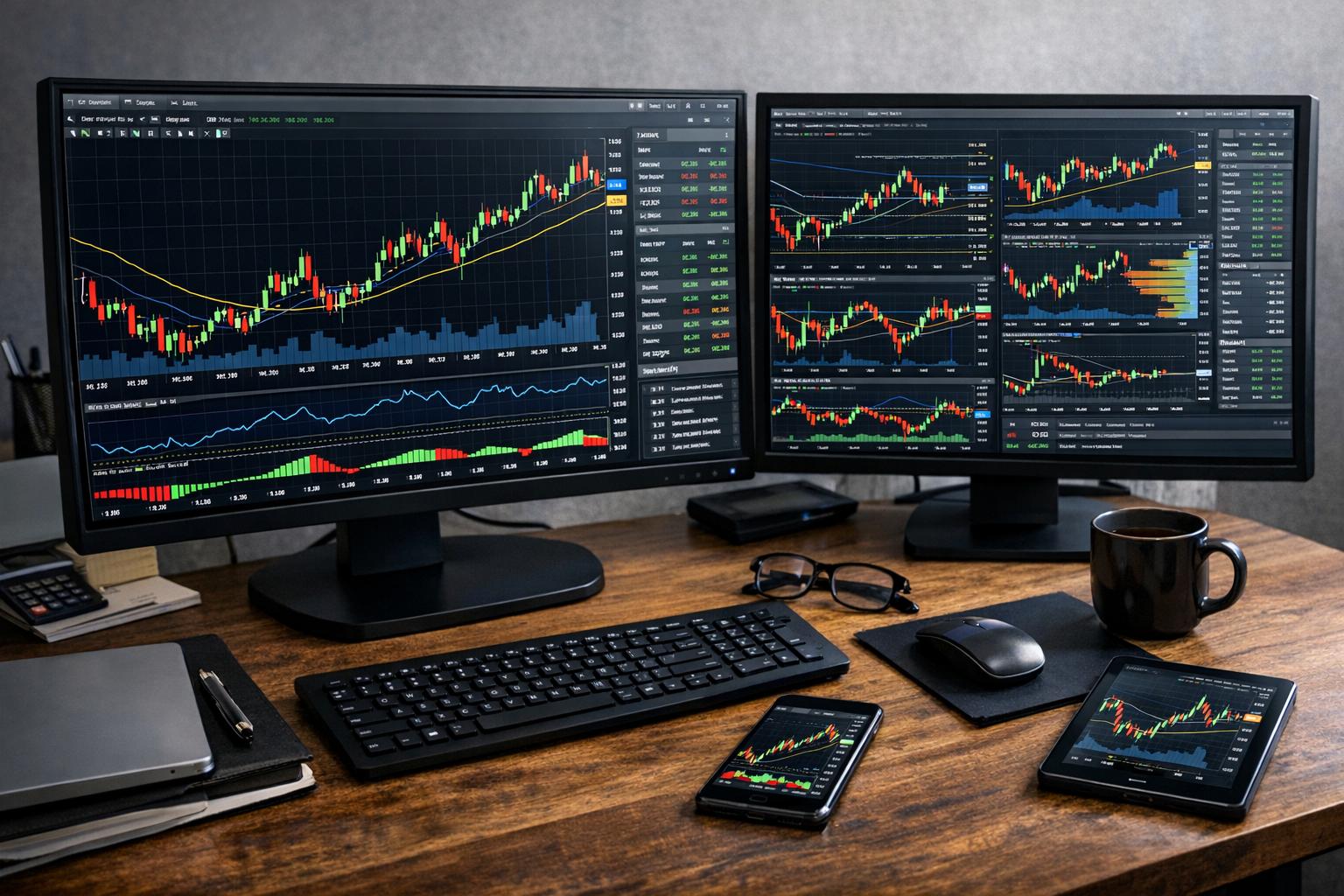
You don’t need to be a quant with a spare server rack to build your own charting and technical analysis software. What you do need is an opinionated plan, because “technical analysis software” covers everything from a basic candlestick viewer to real-time signal engines with data ingestion, backtesting, and a UI that doesn’t make your eyes bleed.
This article walks through how to design and build charting plus technical analysis tooling you can actually use. We’ll talk about data flow, chart rendering, indicator math, performance traps, and practical testing. I’ll keep the theory to the point and focus on things you’ll hit when you move from “it works on my machine” to “it works when markets are doing market things.”
What “Charting and Technical Analysis Software” Really Means
Charting and technical analysis software is usually a bundle of a few hard problems disguised as a single app.
At minimum, you need:
1) Market data handling
You ingest OHLCV bars, trades/ticks (optional), corporate actions (usually ignore early on), and you store it in a way your app can query fast.
2) Chart rendering
Candlesticks, volume bars, crosshairs, zooming, panning, and a timeline/grid that stays consistent at different time ranges.
3) Indicator computation
Moving averages, RSI, MACD, ATR, Bollinger Bands, volatility measures, custom oscillators—anything with historical windows.
4) State management
Indicators depend on prior values. If your data updates, you don’t want to recompute everything every time.
5) UX for analysis
Markers, drawings, watchlists, alert-like behavior, and exporting analysis outputs (signals, stats, positions).
You can build any subset. But if you want a tool that feels complete, you end up touching each component. Start small, then widen the scope without rebuilding the whole thing.
Pick the Scope: What Are You Building First?
Most people jump straight into “real-time trading platform” mode. Resist that. Trading clocks are fast and messy; building software is slower and cleaner if you start with stable inputs.
A sensible first version (sometimes called v0 even if it’s your first one) looks like this:
V0: Offline bars + indicators + interactive chart
– Load historical OHLCV from CSV (or a simple API export)
– Render candlesticks + volume
– Implement a handful of indicators (MA, RSI, MACD, ATR)
– Let the user adjust indicator parameters (period lengths, source field)
– Allow zoom/pan and show crosshair values
– Export indicator output as CSV for sanity checks
This gets you to a working “charting desk” where you can verify math against known calculators.
V1: Live updates + incremental indicator updates
– Add streaming updates (new bar close, or tick aggregation)
– Update only the affected bars/indicator states
– Maintain UI continuity while data updates
V2: Drawing tools + alerts + basic backtesting (optional)
– Save chart drawings and indicator settings
– Add rule-based alerts (e.g., RSI crosses 30)
– Add a simple backtester using the same indicator engine
A full backtester with trade execution modeling is a project by itself—so treat it as a separate phase.
Data Model: The Part That Saves You Later
Indicators are math, but the math sits on top of data structures. If your data model is sloppy early, you’ll pay for it in bugs later.
Represent OHLCV with clean time semantics
Use a bar structure like:
– timestamp (in a consistent timezone)
– open, high, low, close
– volume
– optional fields: open interest, symbol-specific metadata
The biggest time-related issue: mixing timezone-aware and naive timestamps. Pick a rule. A common approach:
– Store timestamps in UTC
– Convert to local time only for display
Also decide your bar type. You’ll likely start with fixed intervals (1m, 5m, 1h, 1d). If you later add custom sessions, you’ll need session calendars, but you can postpone that.
Create a time-indexed series
For indicators, you frequently access “the last N values” ending at a bar index. That suggests:
– Keep arrays of numeric series aligned by bar index
– Use a time-indexed structure (like a map) only for insertion and validation—not for per-bar math
In practice:
– Internally: arrays for fast computation
– Externally: dictionaries/maps keyed by timestamp (to merge new data)
This keeps your indicator code simple and fast.
Handle missing data without hoping
Historical feeds usually have quirks: gaps, incomplete last bars, duplicated timestamps, holiday gaps (which can be just empty intervals for some markets).
Your app should:
– Validate ordering by timestamp
– Deduplicate if you must
– Decide how to treat missing bars (skip vs carry forward)
For early versions, you can keep it simple: require a continuous bar series for the selected timeframe, and fail gracefully (with a message) if the input is missing bars.
Chart Rendering: Candlesticks Without the Drama
Rendering a chart seems straightforward until you hit these issues:
– coordinate transforms
– floating-point rounding and pixel snapping
– zooming behavior
– performance when you render thousands of bars
Understand the coordinate transforms
You’ll map data space → screen space.
– X axis: bar index or timestamp converted to an x coordinate
Often easiest: treat the visible range as a slice and compute x = left + i * pixelsPerBar.
– Y axis: price value mapped to y coordinate
Compute min and max for the visible window, then:
– y = top + (maxPrice – price) * scale
Make sure your mapping updates every time the viewport changes (zoom/pan).
If your chart uses logarithmic scaling later, the mapping changes. For v0, stick to linear.
Rendering candlesticks correctly
For each bar:
– Draw the wick: vertical line from low to high
– Draw the body: rectangle from open to close
– Color by direction: green/up, red/down (or whatever your scheme is)
Be careful about tiny bodies (open ≈ close). If the body becomes too thin relative to pixel resolution, you’ll see flicker at certain zoom levels. A typical fix is to enforce a minimum pixel height for bodies or clamp values when drawing.
Crosshair and hover interactions
Crosshair is the feature users expect. It’s also a trap if you don’t design event handling cleanly.
Approach:
– Track mouse position in screen coordinates
– Convert to nearest bar index using your x mapping
– Retrieve bar data for that index
– Display a small tooltip panel with OHLCV and indicator values
Don’t recompute indicator values on every mouse move. Cache at least the computed indicator series and use the hover index to read values.
Performance tactics for large histories
If you render 200,000 bars, you’ll melt your CPU. Even 50,000 can hurt depending on UI framework.
The usual “grown-up” approach:
– Render only the bars in the visible range
– Optionally use downsampling (for overview charts) when zoomed out
In v0, visible-range rendering alone solves most pain. It also keeps your code simpler.
Indicator Engine: Build It Once, Use It Everywhere
Indicators are not just functions; they’re stateful computations over a sequence. You want an engine where:
– each indicator can be computed over historical data
– each indicator can be updated incrementally for new bars
– the chart, alerts, and backtest all use the same indicator results
Start with “bar-close” updates
Most indicator logic is defined using completed bars. Decide:
– When a new bar arrives and is still forming, do you recompute continuously?
– Or recompute only on bar close?
For v0 and many pro-style tools, bar-close updates are enough. That avoids weird repainting behavior that makes users mistrust the output.
Design indicator interfaces
A practical indicator interface usually has:
– a warmup period (e.g., RSI needs 14 periods; you may need more depending on smoothing)
– an update method that ingests a new bar and returns the latest indicator value
– a history access method to support hover and exports
Even if your language doesn’t support interfaces, treat them like you do. Consistency beats cleverness.
Incremental computation beats “recalculate everything”
Recomputing all indicator values on every new bar is the fastest way to get a slideshow.
Common incremental patterns:
– Simple moving average (SMA): use a rolling sum
– Exponential moving average (EMA): keep last EMA value
– RSI: depends on average gains/losses, which you can maintain with smoothing
– ATR: maintain true range and a rolling or smoothed average
If you build indicators with naive loops every time, you’ll eventually run into performance problems and then you’ll be stuck refactoring while bugs multiply. Build the incrementality from the start, even if your first versions are not “high frequency.”
Implementing Common Indicators (Without Magic)
Let’s cover several standard indicators and the implementation principles you’ll reuse.
Simple Moving Average (SMA)
Given period n, SMA at index i is average from i-n+1 to i.
Incremental approach:
– Maintain rolling sum of the last n values
– When a new close arrives, add it, remove the value that falls out of the window
– SMA = sum / n
Warmup:
– No SMA values until i >= n-1 (unless you want partial-window behavior)
Exponential Moving Average (EMA)
EMA uses smoothing:
– EMA(i) = α * price(i) + (1-α) * EMA(i-1)
– α = 2 / (n+1)
Start condition:
– Many calculators seed EMA with SMA of the first n values
– Some seed with the first price as EMA
Pick one and be consistent, because EMA differs early on.
Warmup:
– You can start producing EMA after the seed point.
RSI
RSI typically uses:
– average gain and average loss over period n
– RS = avgGain / avgLoss
– RSI = 100 – 100 / (1 + RS)
Two common smoothing modes exist (Wilder’s smoothing is typical):
– Wilder’s RSI computes smoothed averages by:
– avgGain = (prevAvgGain*(n-1) + currentGain) / n
– same for avgLoss
Edge cases:
– If avgLoss is 0, RSI is 100 (or treat RS as infinity)
– If both avgGain and avgLoss are 0, RSI can be 50 (flat line)
You’ll see small differences between charting apps because they handle those seeds and edge cases differently. That’s normal. Just document your choices and test against a known reference on typical data.
MACD
MACD is:
– MACD line = EMA(fast) – EMA(slow)
– Signal line = EMA(signalPeriod) of MACD line
– Histogram = MACD – Signal
Warmup:
– You need enough history for slow EMA, plus further for signal EMA.
Implementation notes:
– Compute fast EMA and slow EMA incrementally
– Feed MACD output into signal EMA incrementally
ATR (Average True Range)
True Range (TR) per bar:
– max(high – low, abs(high – prevClose), abs(low – prevClose))
ATR:
– either SMA over n TR values
– or Wilder’s smoothing, commonly used in TA packages
Again, pick one approach and stick with it.
Bollinger Bands
Using SMA and standard deviation:
– mid = SMA(n)
– upper = mid + k * stdDev
– lower = mid – k * stdDev
Standard deviation:
– rolling variance requires more careful incremental updates than SMA
– for v0, computing rolling stdDev with a window loop might be acceptable if your dataset sizes are manageable
If you find performance issues, you can switch to rolling variance algorithms later. Don’t overengineer at the start unless you know you’ll need 10 million bars yesterday.
Custom Indicators: A Simple Recipe That Works
If you want to add your own indicator (and you probably do), you need a workflow that prevents “math drift.”
Here’s a safe recipe:
Define the indicator spec
Write down:
– input series (close, typical price, hl2, etc.)
– parameters (periods, multipliers)
– formula description
– warmup requirements
– output definition (one value per bar or multiple)
If you ever argue with yourself later about “what exactly did I implement,” this spec saves time.
Implement with clear step boundaries
Even if you later optimize, implement it in a way you can test:
– compute prerequisite series (returns, gains/losses, true range)
– compute smoothed averages (SMA/EMA/Wilder)
– compute final output
Those boundaries make debugging possible. It’s harder to debug if everything is in a single 12-line expression.
Build a reference test harness
Use a fixed test dataset and compare your computed outputs to:
– a known TA library output (if available)
– a spreadsheet calculation
– a third-party charting calculator
The point isn’t to match every edge case at all costs. The point is to match what you think you wrote.
Value Alignment: Off-by-One Errors Are the Tax You Pay
Most indicator bugs are alignment problems, not math problems. You compute correctly but you attach the resulting value to the wrong bar index.
Common alignment traps:
– Using close(i) where indicator expects close(i-1)
– Warmup periods causing output shift
– Smoothing seed using SMA vs first value
A good rule:
– When implementing an indicator, decide whether it reports its value “at the current bar close” or “based on data up to previous bar.” Most TA tools assume current bar closed.
In hover mode, you usually want “indicator value displayed at the same bar where it was computed.” That means your engine must store output values in an array aligned with bar indices.
Signal Logic and Overlays
Technical analysis software often needs more than lines. People want markers:
– buy/sell arrows
– cross points
– divergence lines (later, if you want to suffer)
Represent signals separately from indicator lines
For clarity and debugging:
– indicator series: continuous values per bar
– signal series: discrete events per bar (or per time)
This lets you export and test signals without confusing them with indicator computation.
Example: a simple crossover rule
If you implement a rule like “fast MA crosses above slow MA,” you can detect:
– previous difference <= 0
- current difference > 0
That gives a buy event at bar index i. Store that event in an array of equal length with boolean or a float for confidence (if you add it later).
UI Integration: Make the Numbers Boring and Trustworthy
You can have perfect indicator math and still annoy users if the UI misleads them.
Overlay indicators with consistent scaling
When you plot RSI, it should use a 0–100 scale. When you plot price, it needs dynamic scaling to visible window. Many chart apps attach each indicator to chart panes.
Simplify early:
– Plot all lines on the price pane at first
– Or allow at most two modes: “price overlay” and “oscillator pane”
Even if you only implement one pane, keep axis labeling clear.
Tooltips should show the indicator value at the hovered bar
When hovering, show:
– bar timestamp (displayed)
– open/high/low/close
– volume
– indicator values relevant to that pane
The tooltip should read like a checklist. And yes, people will use it, especially when validating your indicator math.
Parameter controls must trigger recomputation cleanly
If user changes RSI period from 14 to 21:
– you need to recompute the RSI series
– the recomputation should not leak old state
– you should keep the UI responsive (use background computation if your framework supports it)
In v0, recompute on a “Apply” button. That keeps implementation easier.
Backtesting: Don’t Mix It With Rendering Unless You Mean To
Backtesting is a separate job, but it shares indicator code.
The main practice:
– use the indicator engine as a pure computation module
– keep backtest logic independent from UI
Basic backtest loop
A simple bar-by-bar simulation:
– for i from warmup to end:
– compute/lookup indicator values at i
– apply trading rules
– update virtual positions and cash
– record trades and performance stats
Keep your backtest assumptions explicit:
– order executed at close, open, or next open?
– include fees/slippage or ignore them?
Even a toy backtest becomes confusing if execution timing changes behind the scenes.
Avoid “lookahead bias” like it’s a pothole
If your rule uses information that wasn’t available at the time of decision, you get backtest results that look better than real trading will allow. “It was obvious after the fact” is not a trading edge; it’s just bias.
To prevent this:
– define the decision time clearly (usually bar close)
– use indicator values computed up to that time
– when executing a trade, decide the execution price model consistently
Testing and Verification: Where Most DIY Projects Lose Sleep
If you’re building software for real decisions, testing isn’t optional. And even if you’re not, testing keeps you from chasing phantom bugs.
Unit tests for indicator math
Write tests for:
– SMA with a simple increasing series
– EMA seed behavior
– RSI flat market (should behave predictably)
– MACD with constant prices (should converge to 0)
– ATR on synthetic highs/lows
The point is to test known properties, not only exact outputs from a library.
Golden datasets
Pick one or two small datasets with known expected outputs. Store:
– input bars
– expected indicator arrays
Whenever you change code, rerun these tests. It catches accidental off-by-one changes and smoothing differences.
Property tests for invariants
Examples:
– RSI should stay in [0, 100]
– SMA of constant series should equal that constant
– In a monotonic uptrend, RSI generally stays higher than random choppiness (not strictly monotonic, but your implementation shouldn’t go wildly off)
Property tests aren’t “proof,” but they catch egregious mistakes quickly.
Performance: Keep It Snappy Without Pretending It’s a Rocket
Charting is fast enough when you avoid unnecessary recomputation and excessive drawing.
Cache indicator series and only update what changes
For live updates:
– when a new bar arrives, update indicator values only for the new bar index
– keep arrays of computed values and append
– if you receive bar revisions (e.g., intrabar updated bar), either support replace-on-last-index or ignore revision updates until bar close
Throttle UI redraws
If you redraw every mouse move, you’ll overload the UI thread. Instead:
– redraw on animation frames or at a fixed interval
– or only update the tooltip while keeping the chart render stable
Downsample for drawing when zoomed out
If your UI offers extreme zoom out, you will have far more bars than pixels. You can still draw something meaningful by:
– drawing only every nth bar in that viewport
– or aggregating OHLC into a smaller set
Don’t do this early unless you actually need it. It’s another layer of complexity. But keep it in mind.
Architecture Options: Don’t Build a Spaghetti Diagram
There are multiple ways to structure the project. Here are two sane patterns.
Option A: Monolith first (but with clear modules)
One app, but separate internal modules:
– Data loader / storage
– Indicator engine
– Chart renderer
– UI layer
– (optional) backtest module
This is easiest for a first release. You still get separation benefits.
Option B: Split compute engine from UI
Make your compute engine a library (or service) that:
– loads bars
– computes indicators
– returns series arrays
Then UI queries the engine for computed results.
This is more work upfront, but it prevents UI frameworks from contaminating your math code.
If you plan to share the indicator engine with other tools (or run it in batch for backtesting), option B tends to pay off later.
Feature Ideas That Are Actually Worth Building
Since you asked for software, not just “an indicator calculator,” you likely want features that match real user workflows.
Export computed indicator values
This sounds boring, but it’s hugely practical:
– verify values against another system
– use results in spreadsheets
– compare parameter variants
Export also makes debugging easier: if your chart looks weird, you can inspect the exported array.
Persistent settings per symbol and timeframe
Users often switch between symbols and timeframes. Persist:
– selected timeframe
– indicator parameters
– which indicators are visible
It reduces friction.
Chained indicators and computed inputs
Let indicator inputs come from other computed series:
– MACD histogram as input to another rule
– ATR percent
– normalized oscillator values
This requires a slightly smarter dependency graph, but the engine you build for “regular indicators” can handle it once you treat indicators as nodes that consume other series.
Common Bugs (So You Can Spot Them Before They Gaslight You)
Here are the classics.
Off-by-one in warmup
Your chart starts drawing RSI before it should, or shifts it by one candle. It will still “look plausible” which is the worst kind of wrong: the kind you trust.
Fix:
– enforce warmup rules
– mark values as NaN until valid
– only render valid values
Timezone mismatch between data and display
You pick bars for a timeframe and your chart labels don’t match your mental model. Nothing breaks visibly, but crosshair hover shows “wrong” timestamps.
Fix:
– store everything in UTC
– convert for display only
Recomputing indicators on parameter changes without clearing old series
If you keep arrays and don’t reset them properly, you’ll mix indicator outputs from old settings into new ones.
Fix:
– rebuild indicator series from scratch when parameters change in v0
– later, add incremental parameter change handling if you care
Non-deterministic floating-point rounding differences
This is rare in basic use, but if you compare outputs across environments, you might see minor differences. Your rendering might also flicker if you draw at exact pixel boundaries.
Fix:
– use consistent numeric types
– clamp and round only for display, not for computation
– keep tests tolerant (absolute/relative error)
How to Validate Against Established Tools
You don’t have to trust any vendor’s output completely. But you should compare results to something. Not because “they’re right,” but because they’re consistent.
A simple comparison workflow:
1) Pick a symbol and timeframe
2) Export bars (or use a known dataset)
3) Run your indicator outputs
4) Compare values for a specific index near the middle of the dataset (not only the edges)
This avoids warmup and boundary differences dominating the comparison.
Adding Support for Multiple Timeframes (Without Breaking Everything)
Timeframes matter because indicators depend on bar resolution.
You have two common approaches:
Precompute indicators per timeframe
For v0, this is easier:
– when timeframe changes, reload bars for that timeframe
– compute indicators anew
Timeframe changes become slower, but correctness is simpler.
Aggregate bars from a base timeframe
Example:
– you load 1-minute bars
– you aggregate into 15-minute bars
This requires careful handling of:
– session boundaries (if you later add them)
– partial bars at the end
– how you treat high/low and open/close aggregation
Aggregation is doable, just not fun in early versions. Unless you already collect multiple intervals, precompute per timeframe is a practical first step.
Handling Corporate Actions and Symbol Metadata (When You Eventually Must)
This section is a “future you” note. If you’re working with equities, corporate actions like splits change historical price series continuity. Without adjustment:
– moving averages distort
– RSI patterns become weird
– comparisons across timeframes become misleading
If you’re focusing on crypto or forex, you can often ignore this. For equities, consider building an adjustment layer later, or ingest adjusted price series from your data provider.
For v0, you can set expectations: “data is not adjusted for corporate events.” Users will forgive it if they know.
Security and Data Integrity: Not Sexy, Still Required
Even if your app is personal, you should avoid garbage-in garbage-out.
Validate inputs:
– OHLC reasonable constraints (high >= low)
– no NaN or infinite values
– volume non-negative
– timestamps sorted and deduplicated
If you support API ingestion, protect thread safety and avoid writing partial caches. Data integrity issues are boring but expensive in debugging time.
Deployment and Running the App
Decide your distribution model early:
– desktop app for personal use
– web app for multi-platform
– local web UI with a backend compute engine
For charting-heavy work, a desktop app can be easier. Web apps can work too, but rendering thousands of SVG elements can be slow. Canvas rendering is often the better default for performance.
If you build for real-time updates, consider how you’ll manage:
– reconnection logic
– API rate limits
– caching and resume after restart
For v0, keep it offline or simulated real-time. Live data is another subsystem.
A Practical Build Plan (So You Don’t Get Lost)
Here’s a build order that works in most ecosystems. You can adjust based on your tech stack.
Step 1: Load bars and show candlesticks
– parse CSV
– store in arrays
– render candles and volume
– implement zoom/pan and crosshair tooltip
This proves your data pipeline and rendering pipeline are aligned.
Step 2: Add MA overlay
– implement SMA and EMA
– render them on the price pane
– export values and compare with a known calculator
If SMA/EMA are correct, your indexing is probably right. That’s half the battle.
Step 3: Add RSI and MACD
– plot RSI in its own pane or overlay temporarily
– add RSI tooltips
– detect RSI crosses (as a basic signal)
Again, validate against references using mid-series points.
Step 4: Add ATR + Bollinger Bands
At this stage, you’ll know if your windowing and rolling logic are solid. ATR and Bollinger often expose subtle bugs.
Step 5: Add incremental updates (live bars)
– support appending a new closed bar
– update indicator values only for the latest index
– confirm UI remains stable
If incremental updates are wrong, your earlier warmup and state logic will reveal it quickly.
Step 6: Add drawings/markers and exports
– save settings and indicator parameters
– let users add markers based on signals
– export signals to CSV
This makes the tool usable for actual analysis workflows, not just chart watching.
Choosing a Tech Stack (Without Starting a Religion)
Your choice depends on whether you want speed of development or performance.
Desktop UI:
– good for chart rendering with lower friction
– state management can be simpler
Web UI:
– good for accessibility and deployment
– needs careful rendering strategy (Canvas/WebGL)
Compute engine:
– keep indicator code separate regardless of your UI choice
– you can write the engine in whatever language is easiest for numeric operations in your setup
The best stack is the one you’ll actually finish. Markets will wait for nobody, but code will wait even less.
When to Stop Building and Start Using
This is the part people avoid, because it feels like admitting defeat. But it’s practical.
Stop upgrading the tool when:
– charts and indicators match references reasonably
– you can adjust parameters and see outputs quickly
– you can export and verify results
– your backtest (if included) runs consistently
If you keep adding features indefinitely, your tool becomes a never-ending build, and your analysis becomes “waiting for the next improvement.” A charting app is meant to be used, not worshipped.
Common Questions People Ask After Building v0
Can I use my indicator engine for trading rules?
Yes. Indicators are inputs. The trading rule logic is separate. Keep them separate in code and in mental model.
Do I need ticks if I already have bars?
Not for most technical analysis. Bars at 1m, 5m, and higher often suffice. If you want intrabar patterns, you’ll need tick or aggregated sub-minute data later.
Should I copy how TradingView does everything?
You can borrow concepts, not code. Matching user expectations is good. But if you copy blindly, you may copy hidden assumptions too.
What You’ll Learn While Building This
Building charting and technical analysis software teaches you a few things that matter even if you never “go live” with it:
– how sensitive indicator logic is to alignment and warmup
– how much trust comes from transparent and consistent UI behavior
– how much performance depends on incremental updates and cached series
– how to debug by exporting intermediate outputs
And yes, you’ll probably discover a couple of off-by-one bugs that feel personal. That’s normal. Computers are just as petty as the rest of us.
Final Thoughts
Making your own charting and technical analysis software is a practical project if you keep it structured: clean data ingestion, a reliable chart renderer, a stateful indicator engine, and a UI that makes numbers easy to verify. Start with offline bars, prove correctness, then add real-time updates and signals.
If you do it in that order, you’ll end up with a tool that’s useful from day one—without the “version 10 rewrite” that shows up in so many DIY finance projects.